5 Ways Silent Communication Transforms Your Church Tech Team
If you've ever been in the middle of a church service when your FOH engineer spots a problem but can't communicate with your livestream operator without disrupting the service, you know the frustration. Walking across the room, trying to catch someone's eye, or worse—interrupting the service to fix an issue that could have been prevented with better communication.
Silent communication tools are changing how tech teams coordinate during live services. Here's how they're making a difference.
1. No More Walking Between Rooms
The Problem:
Your livestream operator is in a different room from FOH. When audio levels drop or video feed freezes, someone has to physically walk between locations to communicate.
The Solution:
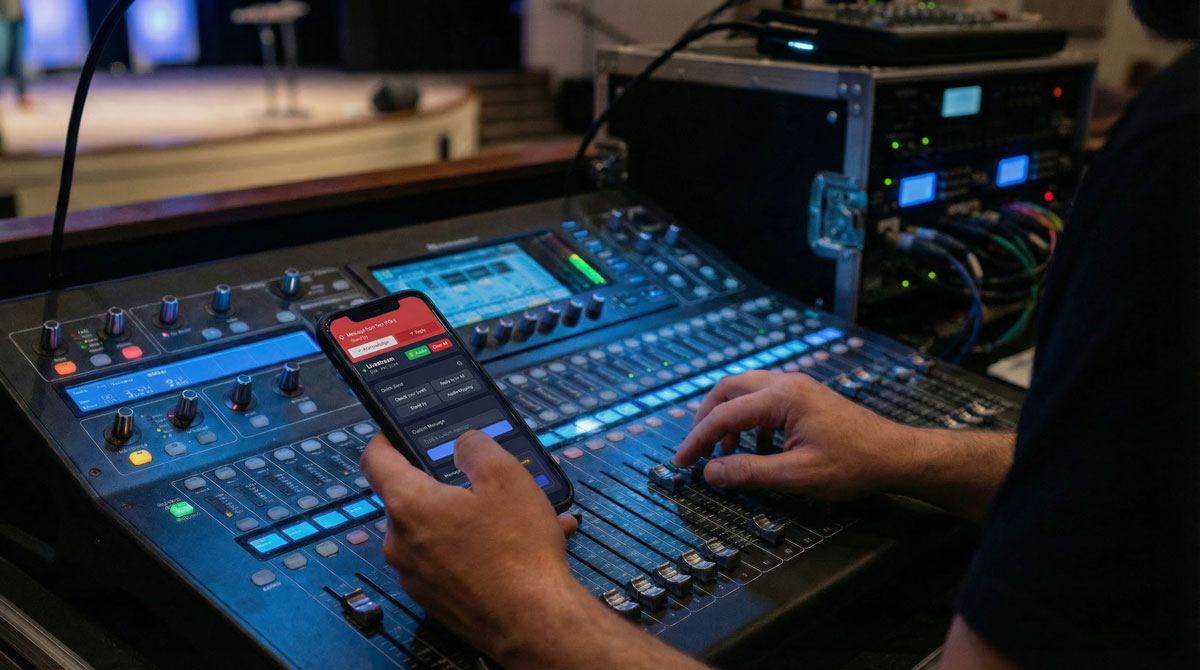
Real-time silent messaging means your FOH engineer can instantly alert livestream with a quick message: "Audio clipping on pastor's mic" or "Ready to switch to presentation camera." No footsteps during the prayer. No disruption during worship.
Real Impact: One church tech director told us, "We used to miss the first 30 seconds of every announcement because our video operator didn't know when to switch cameras. Now they get a heads-up instantly."
2. Instant Alerts That Can't Be Missed
The Problem:
During a live service, it's easy to miss a text message or Discord ping when you're focused on your console or dealing with multiple screens.
The Solution:
Purpose-built alert bars appear at the top of the screen with sound notifications. They're impossible to ignore but don't disrupt your workflow. Acknowledge with one click, or reply immediately to keep the conversation going.
Why It Matters: When something goes wrong during a service, seconds matter. A video feed cutting out, audio feedback starting to build, or a PowerPoint slide not advancing—these issues need immediate attention, not "I'll check my phone when I get a chance."
3. Pre-Set Messages for Common Scenarios
The Problem:
Typing out full messages during a service takes too long and pulls focus from your primary task.
The Solution:
Quick-send snippets let you communicate common needs instantly:
- "Ready to roll"
- "Stand by"
- "Audio clipping"
- "Check your levels"
- "Video feed lost"
Efficiency Gain: What used to take 30 seconds to type, pull out your phone, and send now takes one tap. Your attention stays where it needs to be—on the service.
4. Clear Conversation Threads
The Problem:
Text messages or WhatsApp groups during a service quickly become chaotic. By the time you've scrolled through six messages to find the context, the moment has passed.
The Solution:
Threaded replies keep conversations organized. When FOH sends "Audio issue on Channel 3," livestream can reply directly to that message. Everyone can see the full context without hunting through message history.
Bonus: After the service, you can review message threads to identify recurring issues and improve your workflow.
5. Role-Based Communication
The Problem:
Larger tech teams have more than just FOH and livestream. Add in stage managers, lighting operators, ProPresenter operators, and communication becomes a mess of group chats and notifications going to the wrong people.
The Solution:
Custom roles with color coding mean everyone knows who's sending what. Your stage manager appears in purple, lighting in orange, sound in blue. At a glance, you know if the message is for you or someone else on the team.
Team Scalability: Whether you're a team of 2 or a team of 10, role-based communication keeps everyone coordinated without the noise.
Making the Switch
The best part? Silent communication tools are designed to work alongside your existing setup. They don't require new hardware, complex training, or changes to your workflow. They simply add a layer of coordination that helps your team work better together.
What to Look For in a Silent Communication Tool:
- Mobile-friendly - Works on phones and tablets your team already has
- Real-time sync - No delay between sending and receiving
- Visual alerts - Impossible to miss during a service
- Easy setup - Your team should be up and running in minutes
- Reliable - No dropped messages when you need it most
Getting Started
If your church tech team is still relying on walking between rooms, hoping people notice hand signals, or sending texts that get buried in notification overload, it's time for an upgrade.
Silent communication isn't just about convenience—it's about creating a seamless worship experience where technical issues are resolved before the congregation ever notices them.
Ready to transform how your tech team communicates?
Try CrewComm FreeHave questions about setting up silent communication for your church? Drop us a message at hello@crew-comm.com
About CrewComm
CrewComm is a silent communication platform designed specifically for live event tech teams. Built by tech volunteers for tech volunteers, it helps church production teams coordinate seamlessly during services without disruption.